 Skip to content

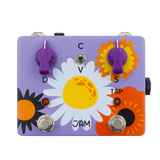
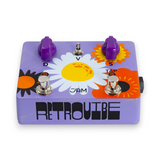
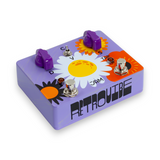

About This Pedal
JAM Pedals RetroVibe Mk.4
The JAM Pedals RetroVibe Mk.4 carries forward the legacy of one of the most respected Uni-Vibe–style pedals ever made. Known for its lush pulse, vocal shimmer, and unmistakable warmth, the RetroVibe has long been a favorite among players chasing authentic, organic modulation.
The Mk.4 remains fully analog at its core, preserving the soul of the original circuit while expanding its expressive potential. With a wider range of Speed and Depth, plus the addition of Tap Tempo, ramping functionality, and expression pedal control, the RetroVibe Mk.4 offers deeper interaction and enhanced performance flexibility—without sacrificing its signature feel.
Switch between Chorus and Vibrato modes to explore everything from slow, liquid modulation to fast, swirling, rotary-style textures that stay musical and alive at every setting.
Key Features
- All-analog Uni-Vibe–style modulation circuit
- Expanded Speed and Depth ranges for greater versatility
- Chorus and Vibrato modes
- Tap Tempo with ramping functionality
- Expression pedal input for real-time Speed control
- Internal output level trimmer
- Handcrafted quality and unmistakable JAM Pedals character
Controls & Functions
Front Panel Controls
- Depth – Sets the intensity of the modulation sweep
- Speed – Sets the modulation rate
- Toggle Switch – Selects Chorus (C) or Vibrato (V) mode
- TAP Footswitch – Tap in modulation speed or engage ramping
Internal Control
-
Internal Trimmer – Adjusts the maximum output level of the effect
Tap Tempo & Ramping
- Tap Tempo: Tap the TAP footswitch to set modulation speed
- Ramping:
-
-
Press and hold the TAP footswitch to ramp from the current speed to a fixed, user-defined speed
-
Setting the Fixed Speed
- Hold the TAP footswitch and adjust the Speed knob to the desired target speed
- Release the TAP footswitch, then return the Speed knob to its original position
Setting the Ramping Time
- Hold the TAP footswitch and adjust the Depth knob to set how long the ramp takes
- Release the TAP footswitch, then return the Depth knob to its original position
Expression & External Control
- TRS Jack: Speed expression pedal input (standard passive 10k expression pedal)
- TS Jack: External tap tempo footswitch